Every app you add to your store injects a little code into your pages. A menu app is one of the first things to load, because customers need to see the navigation the moment a page opens. So the relationship between a menu app and Core Web Vitals isn’t some distant technical concern — it touches your customer’s very first impression directly.
Here’s what’s easy to overlook: a beautiful menu that loads slowly can sometimes be worse than nothing at all. Customers don’t see the code; they only see a page that stutters, content that jumps around, or a menu they tap that doesn’t respond. This article gathers what I’ve learned after running my own store and measuring things many times over — not to scare you about speed, but to give you enough to go on when choosing a menu app without trading away the experience.
- A menu app affects the first thing shoppers touch: navigation.
- Core Web Vitals reveal slow loading, tap lag, and layout shift.
- Measure before and after install instead of trusting claims.
What Core Web Vitals Are and Why They Matter to You
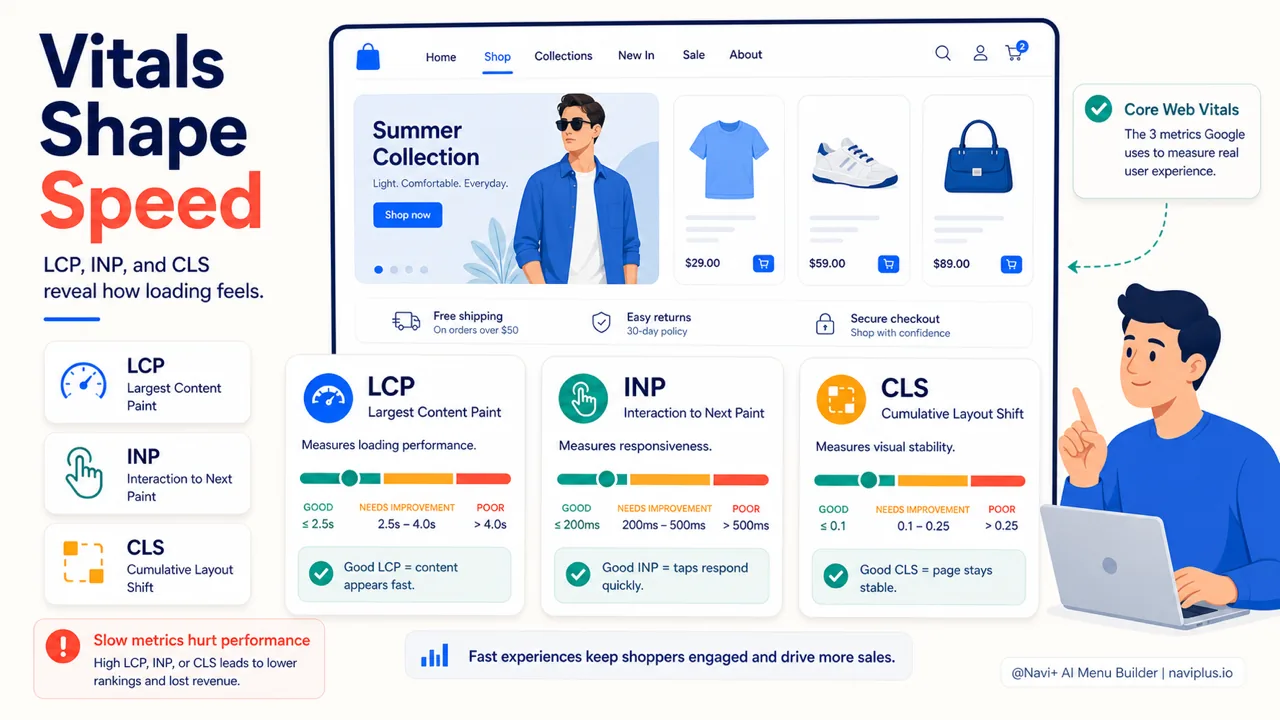
Core Web Vitals are the three metrics Google uses to measure the real-world experience of loading a page. They aren’t lab scores — they’re data collected from your actual customers.
The three metrics are:
- LCP (Largest Contentful Paint) — how long the largest piece of content takes to appear. Google considers 2.5 seconds or less to be good.
- INP (Interaction to Next Paint) — the delay when a customer clicks or taps. Good is under 200 milliseconds.
- CLS (Cumulative Layout Shift) — how much content jumps around while the page is loading. Good is under 0.1.
One detail that’s often misunderstood: Google measures at the 75th percentile. That means 75% of visits have to hit “good” before a page counts as passing. A nice average won’t save you if a quarter of your customers have a bad experience.
Why should a merchant care? Two reasons. First, this is one of Google’s ranking signals, even if it isn’t the biggest one. Second, and more important, it reflects how customers actually feel. Every small bit of friction at the top of the funnel — including a slow-loading page — adds up.
The good news is you don’t need to know any code to read these three numbers. They’re available, free, and explained fairly clearly.
Deep-diveRead the full guide → What Core Web Vitals Are and Why They Matter to You
How a Menu App Affects Speed — and How to Spot It
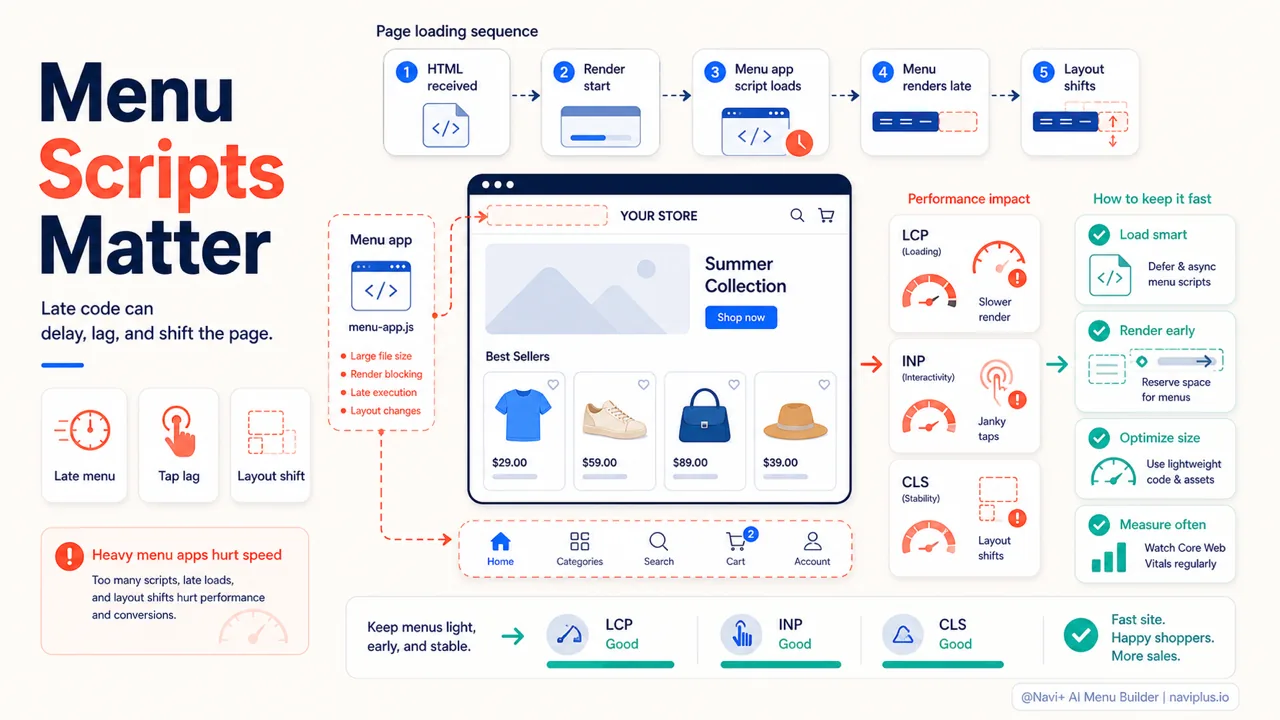
Most apps on Shopify work by injecting JavaScript into the storefront. A menu app is no different. That isn’t bad in itself — the issue is how that code gets loaded and when it runs.
When a script is loaded in a render-blocking way, the browser has to download, read, and finish running it before it can build the rest of the page. A menu app falls squarely into the group that’s likely to cause problems, because it needs to appear early, right at the top of the page.
There are three ways a menu app can slow things down or hurt the experience:
- Pushing LCP higher when the menu is a large part of what’s at the top of the page and has to wait for the script to finish before it shows.
- Raising INP when every tap on the menu has to wait for JavaScript to process it, making it feel laggy.
- Increasing CLS when the menu (especially a top bar or a bottom tab bar) appears late and shoves other content out of place.
Signs you can spot with the naked eye, no tools required:
- The menu shows up noticeably later than the body of the page.
- The page nudges or jolts the instant the menu appears.
- You tap the menu and then have to wait a beat before it opens.
- On mobile, the bottom tab bar flickers or jumps position while loading.
Seeing these signs doesn’t mean the menu app is the only culprit — but it’s worth measuring before and after you remove it.
Deep-diveRead the full guide → How a Menu App Affects Speed — and How to Spot It
What Makes a Menu App Good on Speed
Once you understand how a menu app affects things, choosing one gets easier. Below are the criteria I find worth weighing, roughly in order of importance.
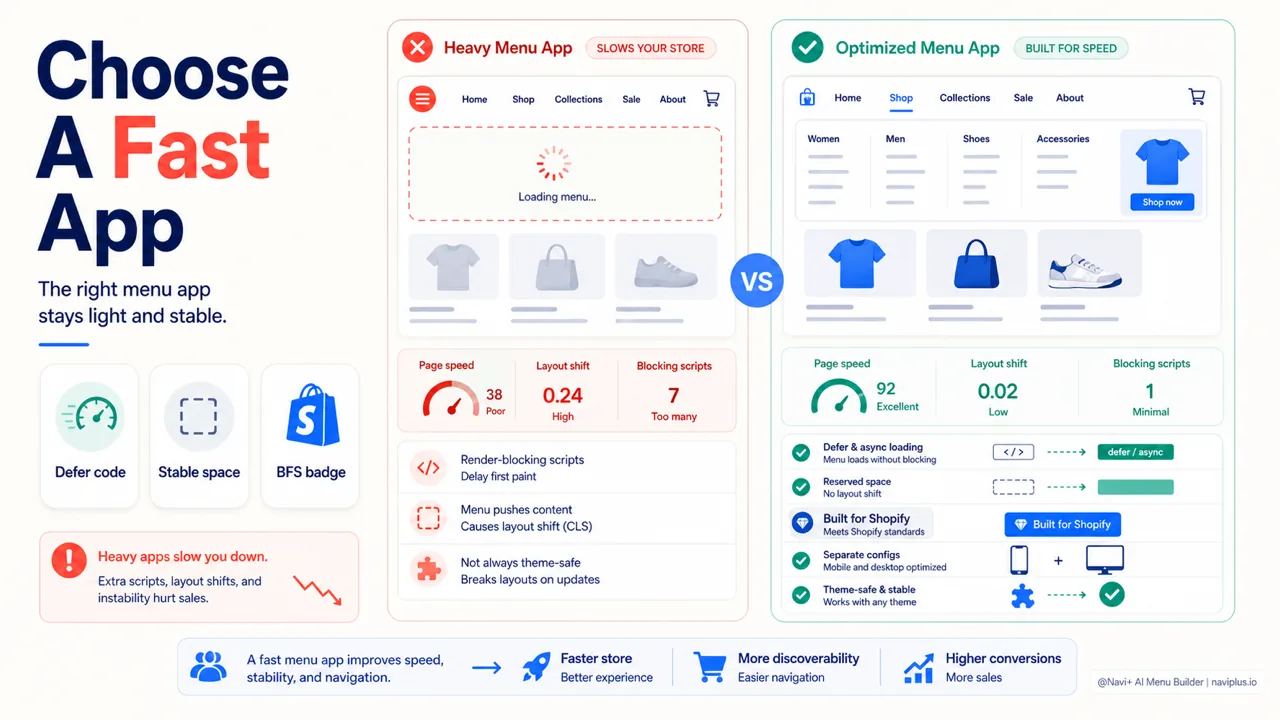
Loads light and doesn’t block rendering. An app should load its code with defer or async, so the menu doesn’t force the page to wait. You can’t check this directly, but the result shows up in your speed scores before and after installing.
Reserves stable space and doesn’t cause layout shift. A good menu app should set aside room for the menu in advance so CLS doesn’t go up. This is a point that’s very often missed, especially with fixed tab bars and sticky navigation bars at the top.
Has a Built for Shopify badge. This is a trustworthy signal. To earn the Built for Shopify badge, an app must not drop the storefront’s Lighthouse score by more than ten points, per Shopify’s published requirements. It’s no guarantee of perfection, but it shows the app has cleared a minimum bar on page speed.
Separate mobile and desktop configuration. A light menu used in the wrong context still isn’t good. Being able to set a tab bar for mobile and a mega menu for desktop means you don’t have to cram everything into one design.
Stays stable when you change themes. If the menu is stored independently of the theme, you don’t have to rebuild it every time you switch designs — and you avoid the risk of leftover code piling up during the switch.
A quick comparison between a typical “heavy” menu app and one that’s optimized:
| Aspect | App that ignores speed | App optimized for speed |
|---|---|---|
| How code loads | Render-blocking | Defer / async |
| Effect on CLS | Often shifts layout | Reserves stable space |
| Built for Shopify | Usually none | Has the badge |
| Device configuration | One shared design | Separate mobile and desktop |
Navi+ is built along these lines: build menus without code, separate mobile and desktop configuration, menus that stay put when you change themes, and the app holds a Built for Shopify badge. You can take a look at naviplus.io. Even so, I’d still encourage you to measure on your own store rather than trust the marketing — including ours.
Deep-diveRead the full guide → What Makes a Menu App Good on Speed
A Checklist Before Installing Any Menu App
This part is a set of practical steps you can do in about fifteen minutes, with no technical skills.
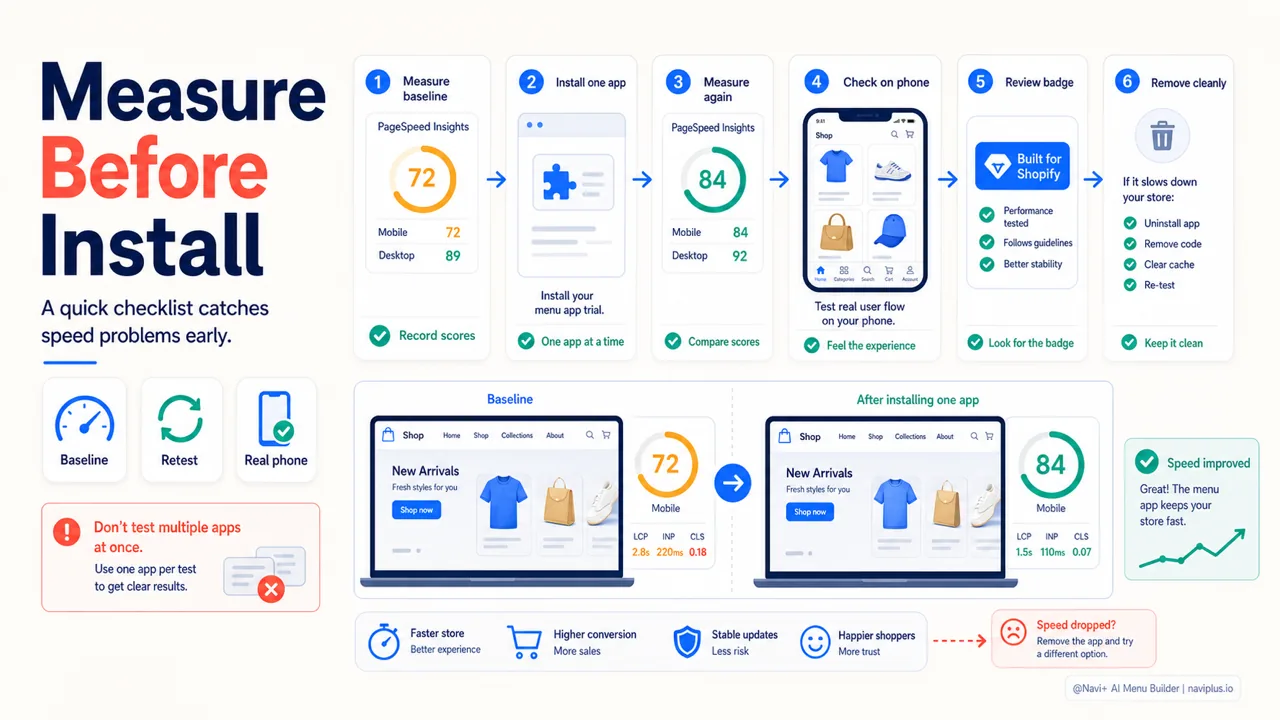
- Measure your baseline first. Open PageSpeed Insights, paste in your homepage URL and a product page, and write down your current LCP, INP, and CLS. This is your reference point for comparison.
- Install the menu app in trial mode. Most apps have a trial. Build the menu the way you actually intend to use it — don’t set it up halfheartedly.
- Measure those same pages again. Compare the three metrics against your baseline. Small differences are normal; a big difference in CLS or LCP is a signal to take a second look.
- Check by eye on a real phone. Load the page on 4G if you can. Watch whether the menu shows up late, shifts the layout, or lags when you tap.
- Look at the badge and the reviews. Favor apps with Built for Shopify and reviews that mention speed in concrete terms.
- Remove it cleanly if you don’t keep it. If you decide not to keep it, make sure the app removes all the code it injected, then measure again to confirm your scores return to baseline.
A note on habits: don’t install several menu apps at once to compare them. Their code can overlap and skew your measurements. Try them one at a time, removing each cleanly before testing the next.
Deep-diveRead the full guide → A Checklist Before Installing Any Menu App
A Word on Navigation, Not Just Speed
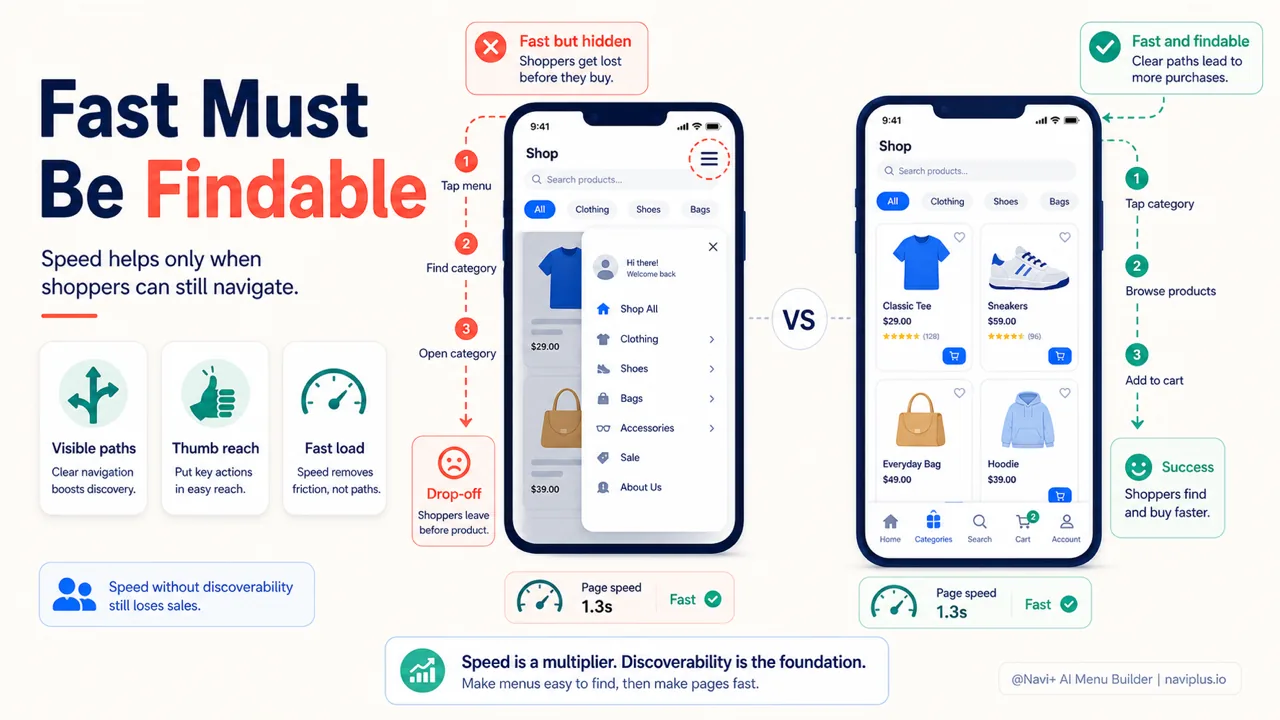
Speed matters, but it serves a bigger goal: helping customers find what they need. A fast menu that hides all the navigation doesn’t solve anything.
A study by Nielsen Norman Group with 179 users found that hiding navigation cut discoverability nearly in half, while also making customers slower to act and making finding things feel harder. The lesson is simple enough: if you don’t have to hide it, don’t.
This is why, on mobile, a bottom tab bar tends to work better than a plain hamburger menu — the main items are always within reach, without having to open anything to see them. Speed and good navigation go together; choosing a menu app means choosing both at once.
Where to Start
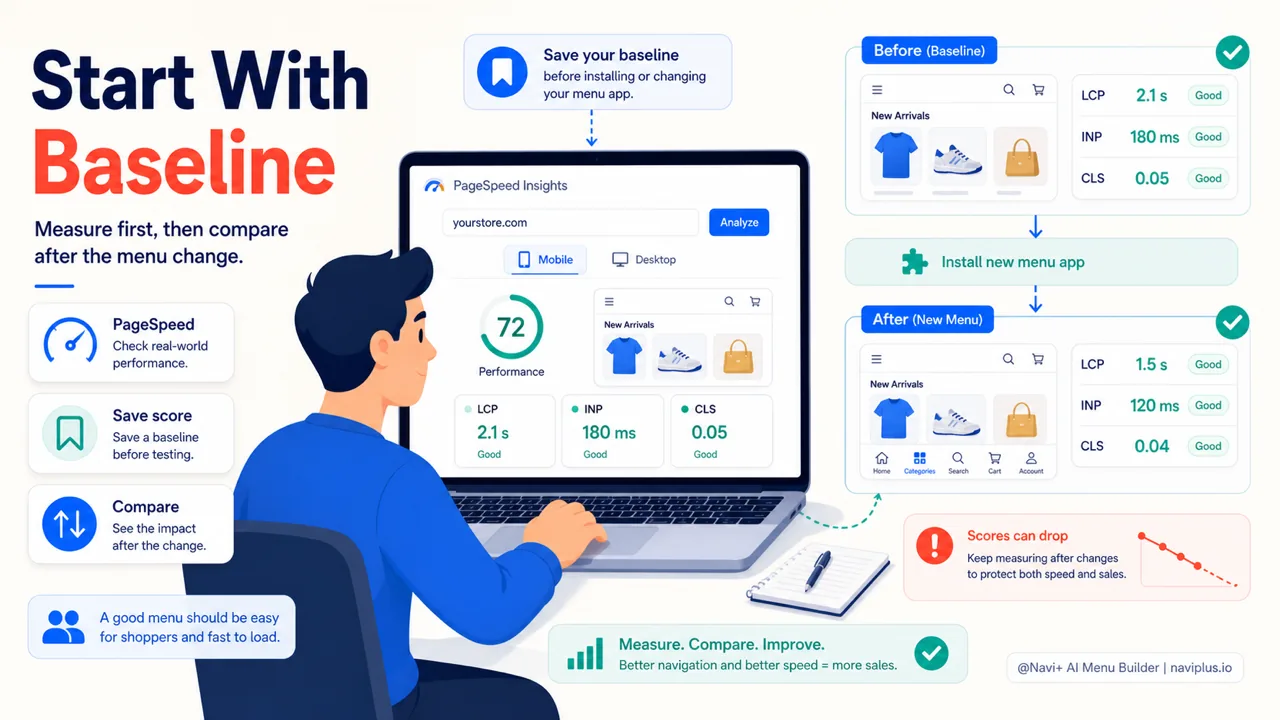
Baseline firstSave PageSpeed scores before installing a menu app, then compare the same pages after setup.
Speed isn’t a problem only for developers. As a merchant, you’re perfectly able to check it yourself and make a well-grounded decision. You don’t need to read a single line of code to know whether a menu app is slowing down your store — you just need to know where to look.
A free tool like PageSpeed Insights is enough to get going. Measure your store’s scores today, save them as a baseline, then compare after you try a new menu app. The numbers will tell you more than any marketing claim — including the claims of whoever wrote this article.
Explore the topics
This guide links out to focused articles — dive deeper on each.